Popular
-

Faithful Textures for MCPE 1.16/1.17/1.19/1.20/1.21/26.52 (32x/64x/128x) (RTX)
Now you can play with the most popular -

Minecraft PE 26.60.30 (1.21.132/26.52)
More epic battles in the new structure, wind -

Dynamic Lights PE Addon for MCPE 1.16/1.17/1.18/1.19/1.20/1.21/26.60+
Dynamic Lights has long been created for almost -

X-Ray for Minecraft Bedrock Edition 1.19/1.20/1.21.132/26.60+
X-Ray is a cult cheat in the past, available as -

TreeCapitator Addon for Minecraft PE 1.17/1.18/1.19/1.20/1.21.132 (26.60)+
No modifications, now the old TreeCapitator is -

Vein Miner & TreeCapitator Addon for Minecraft PE 1.17/1.20/1.21/26.60+
Start your first day working as a miner or -

Java Combat System Addon v8.0 for Bedrock 1.17/1.18/1.19/1.21/26.60+
Install this updated combat system in the form -

Apollon Client 6.53 for Minecraft PE 1.21.114/26.45
Apollon is a standalone client wrapped in -

Minecraft Bedrock 1.21.132/26.44/26.60.29 Patched (apk)
Do you prefer to play non render dragon shaders -

Body Actions Addon v3.4.12 for Minecraft PE 1.19/1.21.110/26.60+
Humanization of characters in Minecraft Bedrock
2
Everyone knows if in Minecraft PC click on «F5", change the angle, first at the camera from behind, then the front. Mojang also added such a possibility, but not until the end. You can not shoot yourself from the front. Not fair, is it?
After all, the mobile version of this great game is becoming every day more and more popular and the number of players around the world is growing at an unprecedented rate.
And the ability to shoot himself in front just need to make a beautiful intro or dubbing.
This mod is exactly what was missing.

Typing «/ f5", you can change the camera angle or zoom out the camera just a little further.
Play as possible, but for a good letspleya is necessary.
In order to return everything to the place you need only enter a slightly different command «/ f5f5", then everything will be as before.
Look face mod for Minecraft Pocket Edition 0.10.5
- Author: Bernard
- Date:
Everyone knows if in Minecraft PC click on «F5", change the angle, first at the camera from behind, then the front. Mojang also added such a possibility, but not until the end. You can not shoot yourself from the front. Not fair, is it?
After all, the mobile version of this great game is becoming every day more and more popular and the number of players around the world is growing at an unprecedented rate.
And the ability to shoot himself in front just need to make a beautiful intro or dubbing.
This mod is exactly what was missing.
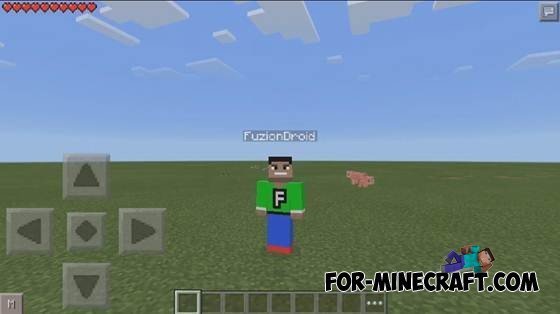
Typing «/ f5", you can change the camera angle or zoom out the camera just a little further.
Play as possible, but for a good letspleya is necessary.
In order to return everything to the place you need only enter a slightly different command «/ f5f5", then everything will be as before.
- Category: Mods & Addons for Minecraft Bedrock (PE)
Recommend:
-
 FOV mod for Minecraft PE 0.10.0
FOV Mod for Minecraft PE 0.10.0 - is a mod to change the position of the camera in the game Minecraft PE. The mod adds
FOV mod for Minecraft PE 0.10.0
FOV Mod for Minecraft PE 0.10.0 - is a mod to change the position of the camera in the game Minecraft PE. The mod adds
-
 CCTV Security Camera mod for Minecraft PE 0.10.0
CCTV Security Camera Mod for Minecraft PE 0.10.0 - this mod on camera video surveillance for Minecraft PE 0.10.0. With
CCTV Security Camera mod for Minecraft PE 0.10.0
CCTV Security Camera Mod for Minecraft PE 0.10.0 - this mod on camera video surveillance for Minecraft PE 0.10.0. With
-
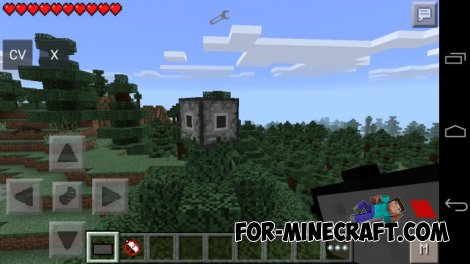 Security Camera mod for MCPE 0.10.5
 Security Camera mod adds 3 types of cameras in MCPE! Cameras allow you to keep
Security Camera mod for MCPE 0.10.5
Security Camera mod for MCPE 0.10.5 Security Camera mod adds 3 types of cameras in MCPE! Cameras allow you to keep
-
 How to make a Minecraft PE double jump?
Hello everyone, today I will show you how to perform a double jump in Minecraft Pocket Edition, without using any
How to make a Minecraft PE double jump?
Hello everyone, today I will show you how to perform a double jump in Minecraft Pocket Edition, without using any
-
 Block Launcher 1.27 for Minecraft PE 1.13 & 1.14.1
Block Launcher is a popular launcher for Minecraft PE which allows you to quickly install scripts, mods, addons,
Block Launcher 1.27 for Minecraft PE 1.13 & 1.14.1
Block Launcher is a popular launcher for Minecraft PE which allows you to quickly install scripts, mods, addons,
